
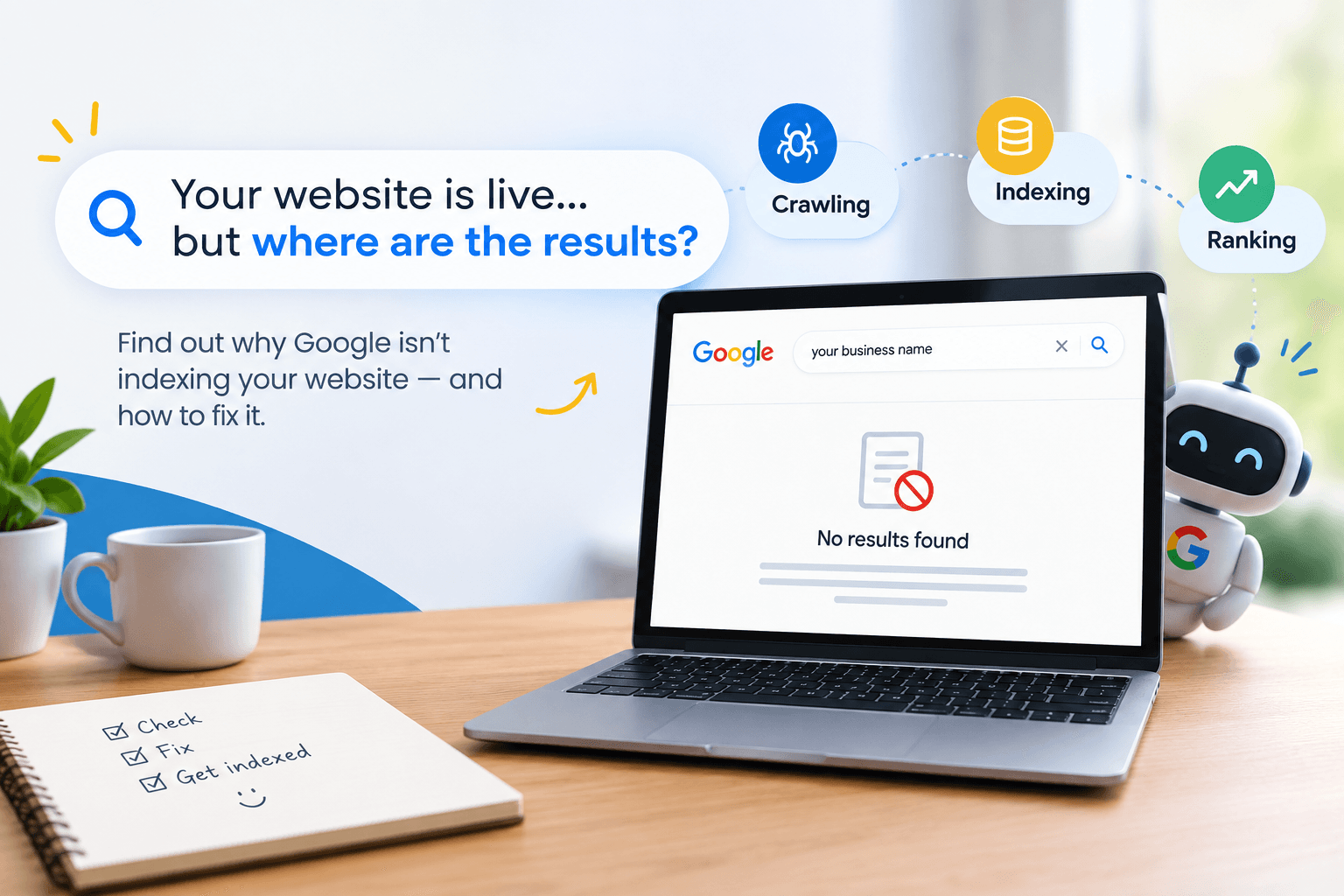
You built the website. You published it. You checked it on your phone, and everything looks great. But when you search for your business on Google, your website is nowhere to be found or worse, an old Facebook page ranks above your brand-new site.
If this sounds familiar, you may be dealing with an Indexability Problem. It’s one of the most common technical SEO issues businesses face, and the good news is that it’s usually fixable. You don’t need to be a developer to understand what’s happening.
In this guide, we’ll explain what Google indexing actually means, how to check whether your pages are being indexed, the seven most common reasons they aren’t, and the practical steps you can take to get your pages showing up in Google.
What Does “Indexing” Actually Mean?
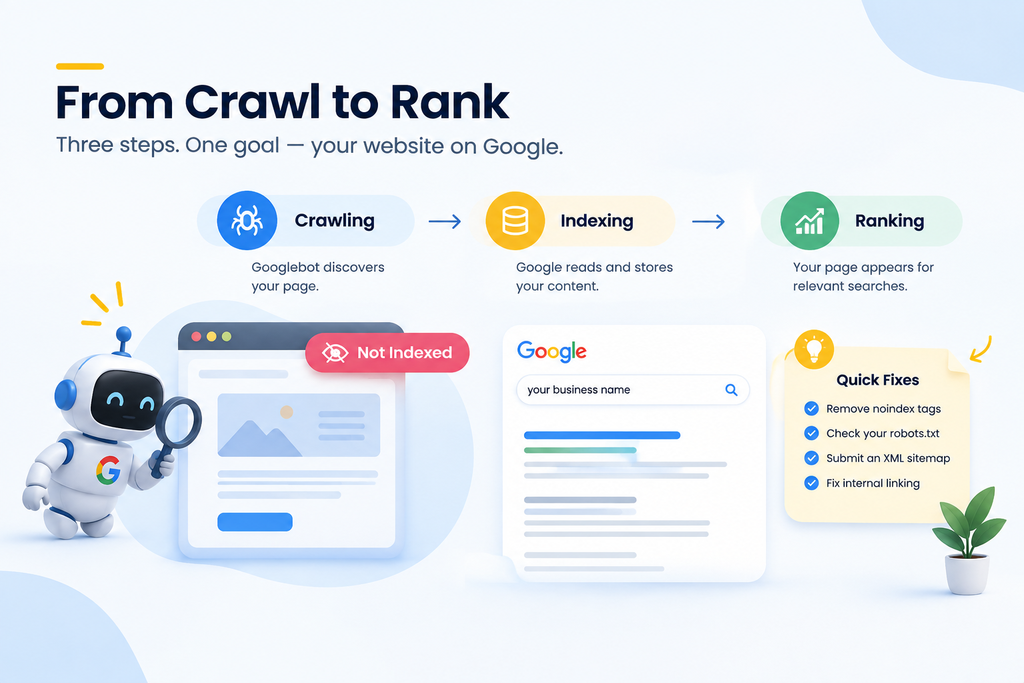
Think of Google as a librarian managing the world’s largest library. Before a book (your webpage) can be recommended to a reader, three things must happen:
- Crawling — Google’s bots discover and visit your page.
- Indexing — Google reads, understands, and stores that page in its enormous database.
- Ranking — Google decides where that indexed page appears for relevant searches.
A page that isn’t indexed simply cannot rank not on page 10, not anywhere. It’s invisible. This is why indexability is the foundation of SEO, not an optional technical detail.
Crawling vs Indexing vs Ranking
| Stage | What Happens | What It Means for You |
| Crawling | Googlebot visits your URL | Google knows the page exists |
| Indexing | Google stores and evaluates the page’s content | Your page becomes eligible to appear in search |
| Ranking | Google’s algorithm positions the page for search queries | Your visibility and traffic depend on this |
A page can be crawled but not indexed. It can even be indexed but rank poorly. Each stage has its own set of problems and today we’re focused squarely on stage two.
How to Check If Google Not Indexing Your Website Is Actually Your Problem
Before assuming the worst, confirm the diagnosis. Here are three quick, free ways to check.
Using the Google Search Console Indexing Report
Google Search Console (free and essential for every business website) has a Pages report under the Indexing section. It clearly separates:
- Indexed pages
- Pages not indexed, with a specific reason for each.
This report is the single most reliable source of truth, far more accurate than guessing.
Using the URL Inspection Tool
Inside Search Console, paste any specific URL into the URL Inspection Tool. It will tell you:
- Whether the page is indexed
- The last crawl date
- Any blocking issues (robots.txt, no index, canonical mismatches)
You can also request indexing directly from this tool once issues are fixed.
The Quick site: Search Check
Type site:yourdomain.com into Google. If your homepage and key pages appear, they’re indexed. If nothing shows up, or only a handful of unrelated pages appear, you likely have an indexing problem. This method is quick but less precise than Search Console, use it as a first glance, not a final verdict.
7 Common Reasons Google Isn’t Indexing Your Website
Once you’ve confirmed pages are missing from the index, here are the usual suspects, roughly in order of how often we encounter them.
1. Accidental “no index” Tag
Many website builders and developers add a no index meta tag during the design/testing phase and simply forget to remove it before launch. This single line of code tells Google: “Do not index this page,” and Google obeys immediately.
Fix: Check your page’s HTML source or use the URL Inspection Tool to see if a no index directive is present, and remove it if the page should be public.
2. Robots.txt Blocking Google
Your robots.txt file sits at yourdomain.com/robots.txt and tells search engines which sections of your site they may crawl. A misconfigured line can accidentally block your entire site.
User-agent: *
Disallow: /
Fix: Review robots.txt carefully. This single line above blocks everything, a surprisingly common accident after a website migration.
3. No XML Sitemap Submitted
An XML sitemap is essentially a map handed directly to Google, listing every important page on your site. Without it, Google has to discover pages purely through links, which is slower and less reliable especially for new domains.
Fix: Generate a sitemap (most CMS platforms like WordPress do this automatically via plugins) and submit it in Google Search Console under Sitemaps.
4. Poor Internal Linking (Orphan Pages)
If a page has zero internal links pointing to it from anywhere else on your site, it’s called an “orphan page.” Googlebot largely finds new pages by following links, so an orphan page may never get discovered.
Fix: Ensure every important page is linked from at least one other page, your navigation menu, footer, or a relevant blog post.
5. Duplicate or Canonical Tag Conflicts
Canonical tags tell Google which version of a page is the “master” copy when duplicates exist (e.g., with and without “www,” or with tracking parameters). A misapplied canonical tag can accidentally tell Google to index a different page instead of the one you care about.
Fix: Audit canonical tags to confirm each important page correctly points to itself.
6. Thin or Low-Value Content
Google is selective about what it stores. Pages with very little unique content, auto-generated text, or content that closely duplicates another page on your site may be crawled but deliberately excluded from the index as low value.
Fix: Ensure each page offers genuine, unique value, real service descriptions, original photos, specific details about your Udaipur location and offerings, not generic template text.
7. New Website With No Authority Signals
Brand-new domains with no backlinks, no Google Business Profile, and minimal online mentions can sit in a “discovered, not yet indexed” state for longer, simply because Google hasn’t prioritised crawling them yet.
Fix: Build a few genuine signals a complete Google Business Profile, a few quality backlinks, and social profiles linking back to your site to help Google prioritise your domain.
How Long Does It Take Google to Index a New Website?
There’s no fixed number, but as a general pattern:
| Website Type | Typical Indexing Timeline* |
| Established domain, new page | A few days to 2 weeks |
| Brand-new domain, well-linked | 1–4 weeks |
| Brand-new domain, few external signals | 4–8 weeks or longer |
| Site with technical blockers unresolved | Indefinite, until fixed |
These are general observations, not guarantees, Google does not publish exact timelines, and no agency can promise a specific indexing date.
Indexing and Local SEO, Why This Matters More for Udaipur Businesses
For local businesses, indexing problems are especially costly. If a potential customer searches “best rooftop restaurant near Fateh Sagar” or “dermatologist in Udaipur,” your website needs to be indexed and your Google Business Profile needs to be fully optimized for you to appear in the Local Pack (the map listings) and organic results together.
A few local-specific habits worth building:
- Keep your Google Business Profile category, address, and hours accurate and updated
- Ensure your website mentions your service areas within Udaipur naturally in the content
- Link your Google Business Profile to your indexed website, not a social media page alone
- Encourage genuine customer reviews these support broader visibility, even though they aren’t a direct indexing factor
None of this guarantees a 1st ranking no honest agency will promise that but it does ensure you’re eligible to be found at all, which is the real starting point.
When to Call in a Professional SEO Team
Many indexing issues are fixable in an afternoon once you know where to look. But if you’ve worked through the checklist above and pages are still not indexed after several weeks, it may point to deeper technical issues server response problems, JavaScript rendering issues, or structural site architecture problems that need a proper technical SEO audit.
This is where a local team like Immortal SEO can help: we run a full technical crawl of your site, cross-reference it against Search Console data, and hand you a clear, prioritised list of fixes explained in plain language, not jargon.
FAQs on Google Indexing Problems
Q: Why is my website not showing on Google at all?
The most common reasons are an accidental no index tag, a robots.txt file blocking crawlers, a missing XML sitemap, or the site being too new to have been crawled yet. Checking the Google Search Console Pages report will usually tell you the exact reason.
Q: Does having a sitemap guarantee indexing?
No. A sitemap helps Google discover your pages faster, but it doesn’t guarantee indexing. Google still evaluates content quality, technical accessibility, and site authority before deciding to index a page.
Q: Can I force Google to index my page immediately?
You can use “Request Indexing” in the URL Inspection Tool, which often speeds things up, but Google makes the final call on timing and whether to index the page at all.
Q: Is a Google Business Profile the same as website indexing?
No. A Google Business Profile listing (shown on Maps and the Local Pack) is separate from your website being indexed in regular search results. For the best local visibility, you need both working together.
Q: How often should I check my indexing status?
For an active business site, checking the Search Console Pages report monthly is a good habit and immediately after any major website redesign or migration.
Also Read: 12 Common Technical SEO Issues Udaipur Businesses Must Fix in 2026
Conclusion
A live website isn’t the same as a visible one. Indexing is the invisible gatekeeper standing between your published pages and your potential customers on Google and as we’ve seen, the fixes are usually more straightforward than business owners expect: a stray noindex tag, a missing sitemap, or a robots.txt mistake.
Work through the checklist above, use Google Search Console as your source of truth, and be patient with new domains. If after genuine effort your pages remain unindexed, that’s a sign to bring in a technical SEO review rather than guessing further.
Want a professional set of eyes on this? Immortal SEO offers a free indexability check for Udaipur businesses to reach out and we’ll show you exactly what’s holding your website back from Google.
About the Author

Richa Meena
SEO Specialist at ImmortalSEO with expertise in technical SEO and content optimization.
View all posts