
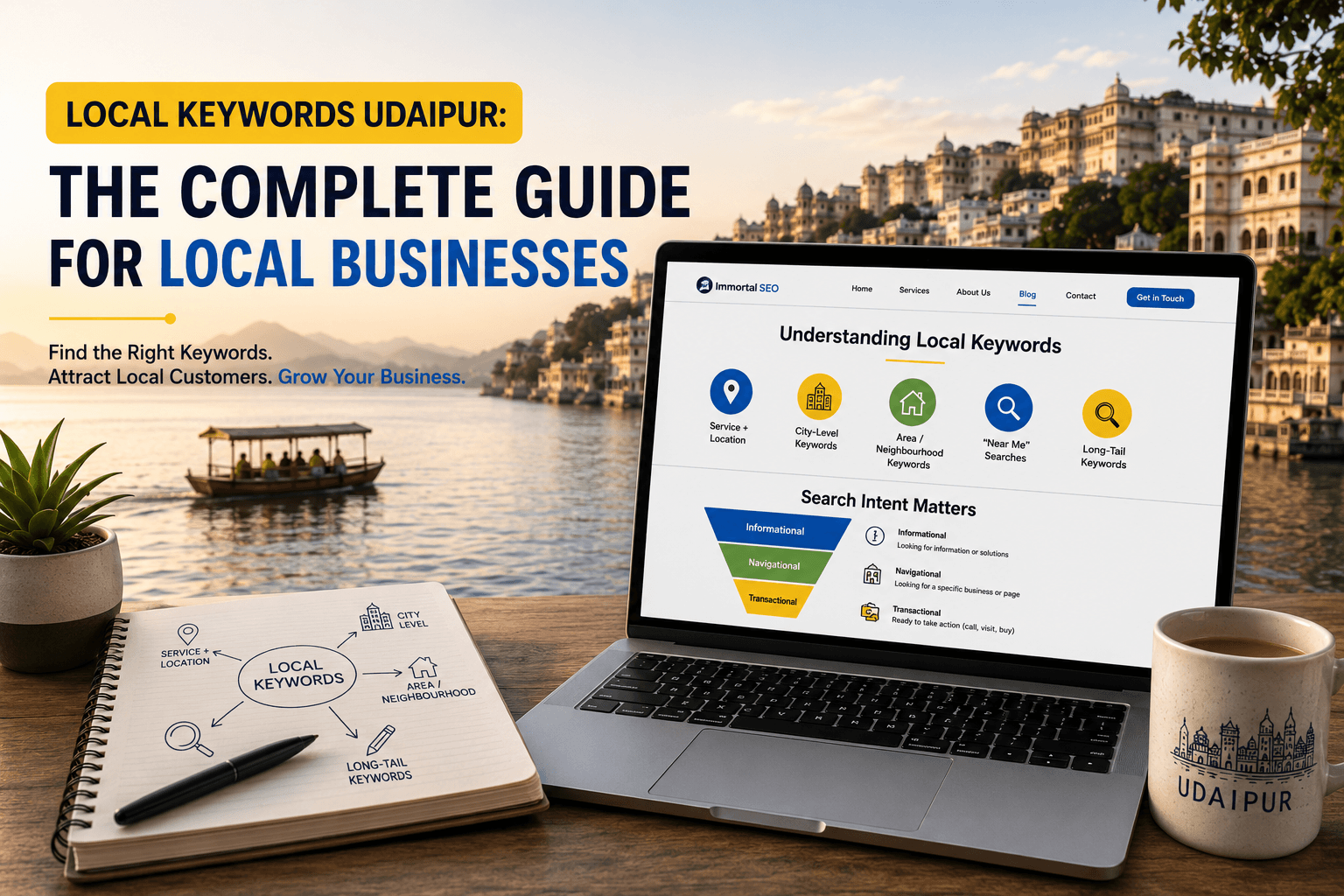
If you run a business in Udaipur, a restaurant near Lake Pichola, a clinic in Hiran Magri, a homestay near the City Palace, you’ve probably heard that “keywords” matter for Google rankings. But most guides are written for national brands, not for a salon owner in Shobhagpura or a CA firm near Chetak Circle. Local keyword research Udaipur businesses need is different: it’s less about search volume and more about matching what a real customer types right before they call, visit, or book. This guide walks through exactly how local keywords work, how to read search intent, and how to organise keywords on your website so pages support each other instead of competing with themselves.
What Are Local Keywords?
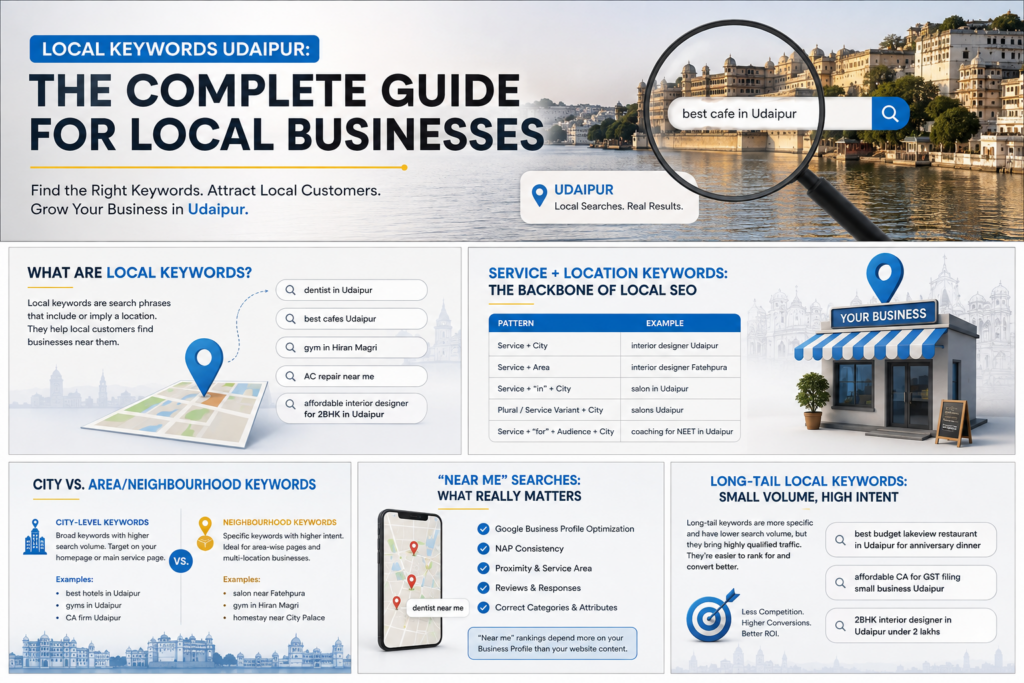
Local keywords are search phrases that include or imply a location. Someone typing “wedding photographer” wants photographers anywhere. Someone typing “wedding photographer in Udaipur” or “wedding photographer near me” wants one they can actually hire this weekend.
Local keywords generally fall into a few buckets:
- Service + location (“dentist in Udaipur”)
- City-wide (“best cafes Udaipur”)
- Neighbourhood-specific (“gym in Hiran Magri”)
- Near me (“AC repair near me”)
- Long-tail local (“affordable interior designer for 2BHK in Udaipur”)
Getting this taxonomy right matters because each type signals a different stage of the customer’s decision and should usually map to a different page on your website, which we’ll cover later.
Service + Location Keywords: The Backbone of Local SEO
Service + location keywords pair what you do with where you do it: “orthodontist Udaipur,” “packers and movers Udaipur,” “coaching centre for NEET in Udaipur.” These are the workhorse keywords of local SEO because they’re specific enough to convert, yet broad enough to have real search volume.
A few patterns worth building into your keyword list:
| Pattern | Example |
| Service + City | “interior designer Udaipur” |
| Service + Area | “interior designer Fatehpura” |
| Service + “in” + City | “salon in Udaipur” |
| Plural/service variant + City | “salons Udaipur” |
| Service + “for” + audience + City | “coaching for NEET in Udaipur” |
Don’t just guess these, pull them from your own Google Business Profile insights, from customer phone enquiries, and from the exact phrases customers use when they message you on WhatsApp or Instagram. That raw language is often better than anything a keyword tool suggests.
City Keywords vs. Area/Neighbourhood Keywords
City-Level Keywords
City keywords are your broadest local net, “best hotels in Udaipur,” “gyms in Udaipur,” “CA firm Udaipur.” They typically carry the highest search volume in your local market and are worth targeting on your homepage or a dedicated service page, because they represent people who haven’t yet narrowed down a specific area.
Neighbourhood-Level Keywords
Area or neighbourhood keywords get specific: “salon near Fatehpura,” “gym in Hiran Magri,” “homestay near City Palace,” “flats for sale in Shobhagpura.” These have lower volume individually but much higher intent, someone searching by neighbourhood usually already lives, works, or is staying nearby, and is close to a decision.
For multi-location businesses (a chain of clinics or gyms, for example), area keywords are essential: each branch needs its own page targeting its own neighbourhood, rather than one generic “Udaipur” page trying to rank for every area at once.
“Near Me” Searches, Why They’re Different
“Near me” searches (“dentist near me,” “car wash near me”) are driven almost entirely by the searcher’s GPS location and Google’s understanding of your Google Business Profile, not by the literal words on your website. You don’t need to stuff “near me” into your page copy. What actually moves the needle for near-me visibility is:
- A fully completed, accurate Google Business Profile
- Correct NAP (Name, Address, Phone) consistency across directories
- Physical proximity and service-area settings
- Reviews, review recency, and review responses
- Categories and attributes set correctly on your listing
Think of “near me” as a Maps and Business Profile ranking factor first, and a website content factor second.
Long-Tail Local Keywords: Small Volume, High Intent
Long-tail local keywords are longer, more specific phrases:
“best budget lakeview restaurant in Udaipur for anniversary dinner” or “affordable CA for GST filing small business Udaipur.”
Individually, each phrase gets very little search volume, sometimes only a handful of searches a month. Collectively, though, long-tail keywords often drive more qualified traffic than short “head” keywords, because the person searching already knows almost exactly what they want.
For small Udaipur businesses without a big content budget, long-tail keywords are usually the fastest path to page-one rankings, simply because there’s far less competition.
Understanding Search Intent (Before You Pick Any Keyword)
Before you target any keyword, ask: what does the searcher actually want to do next? This is search intent, and it comes in four types.
Informational Intent
The searcher wants an answer, not a sale yet.
Example: “how to choose a wedding venue in Udaipur.” Best served by blog content, guides, and FAQs, not a hard sales page.
Navigational Intent
The searcher already knows the brand and wants to find it.
Example: “Immortal SEO Udaipur” or “Ambrai Ghat restaurant Udaipur.” Best served by a clear homepage and consistent branding across Google.
Commercial Intent
The searcher is comparing options before deciding.
Example: “best interior designers in Udaipur” or “top-rated dentists Udaipur reviews.” Best served by comparison content, portfolios, testimonials, and detailed service pages.
Transactional Intent
The searcher is ready to act.
Example: “book homestay near City Palace Udaipur” or “salon appointment booking Udaipur.” Best served by a fast-loading page with a clear call-to-action, pricing, contact form, or booking widget close to the top.
| Intent Type | Example Query | Best Page Type |
| Informational | “how much does interior design cost in Udaipur” | Blog post / guide |
| Navigational | “Immortal SEO Udaipur” | Homepage |
| Commercial | “best salons in Udaipur” | Comparison / category page |
| Transactional | “book salon appointment Udaipur” | Service / booking page |
Matching intent to page type is one of the most overlooked parts of local SEO, ranking a blog post for a transactional keyword (or vice versa) almost always underperforms, no matter how well-written it is.
Keyword Modifiers Local Businesses Should Watch For
Modifiers are the extra words attached to a core keyword that reveal intent and narrow the audience. Common modifier categories for Udaipur businesses:
- Price modifiers: “affordable,” “budget,” “cheap,” “premium,” “luxury”
- Quality modifiers: “best,” “top-rated,” “trusted,” “experienced”
- Urgency modifiers: “same day,” “emergency,” “24 hour,” “open now”
- Audience modifiers: “for beginners,” “for kids,” “for small business,” “for NEET students”
- Format modifiers: “price list,” “cost,” “reviews,” “packages,” “near me”
Watching which modifiers actually appear in your Google Business Profile “queries used to find you” report is one of the simplest ways to discover language your real customers use, which you can then weave into service pages.
How Udaipur Customers Actually Search, Search Behaviour Basics
Local search behaviour tends to follow a pattern:
broad city search → narrowing by area or price → checking reviews and photos on Maps → visiting the website or calling directly.
Mobile plays an outsized role, most “near me” and service searches happen on phones, often while someone is already out and deciding where to go next.
This means:
- Your site needs to load fast on mobile data
- Phone numbers should be tap-to-call
- Address and hours should be visible without scrolling
- Reviews and photos matter as much as, sometimes more than, website copy
Using Google Autocomplete for Free Keyword Ideas
One of the simplest, no-cost research methods:
type your core service into Google’s search bar and note what autocomplete suggests.
For example, typing “dentist in Udaipur” might surface suggestions like “dentist in Udaipur near me,” “dentist in Udaipur fees,” or “dentist in Udaipur for kids.”
Each suggestion reflects real, aggregated search demand. Also check the “People also ask” and “related searches” sections at the bottom of the results page, both are goldmines for FAQ content and long-tail keyword ideas specific to your industry and city.
Google Maps Keyword Research (Often Ignored, Often the Most Valuable)
Most local keyword guides focus entirely on the regular Google search bar and skip Google Maps, a mistake, since a large share of local, high-intent searches happen directly inside Maps. To research keywords on Maps:
- Search your core service + “Udaipur” directly in Google Maps and note the autocomplete suggestions
- Look at which categories your top-ranking competitors use on their profiles
- Read competitor reviews for the exact words customers use to describe the service
- Check which search terms trigger your own listing in Google Business Profile’s performance insights
Because Maps results are hyper-local and review-driven, this research often reveals neighbourhood-level and service-specific phrases that never show up in a standard keyword tool.
Competitor Keyword Research, the Simple Way
You don’t need expensive tools to start. A practical, low-cost process:
- List 5–8 real competitors — ideally ones that consistently rank on page one or in the Maps “3-pack” for your core service in Udaipur
- Review their page titles and headings to see which keyword variations they target
- Check their Google Business Profile categories and services list
- Scan their blog (if they have one) for topics and questions they’ve covered
- Note gaps — services, areas, or questions they haven’t addressed, which you can target instead
The goal isn’t to copy competitors, but to understand which keywords are already proven to have local demand.
Understanding Keyword Difficulty as a Small Local Business
Keyword difficulty measures how hard a keyword is to rank for, based on the strength of pages currently ranking. For most Udaipur small businesses, a practical (tool-free) way to judge difficulty is to look at who currently ranks:
- If national directories, aggregators, or large chains dominate page one → high difficulty
- If mostly local competitors with basic websites rank → moderate difficulty
- If results are thin, outdated, or dominated by directory listings with no real content → good opportunity
Rather than chasing broad, high-difficulty terms like “restaurant Udaipur” on day one, most small businesses see faster results by first winning long-tail and neighbourhood-specific keywords, then building authority toward broader terms over time.
Keyword Prioritization: What to Target First
Once you have a keyword list, prioritise using three factors together, never just search volume alone:
| Factor | What to Ask |
| Relevance | Does this keyword match what I actually offer? |
| Intent match | Does the searcher’s intent match a page I can build? |
| Difficulty vs. effort | Can I realistically compete for this in the next 3–6 months? |
A simple prioritisation approach for most Udaipur businesses:
- Start with transactional, long-tail, and neighbourhood keywords (fastest wins)
- Layer in commercial-intent city keywords once you have some traction
- Use informational keywords for blog content that supports the above and builds topical authority
Keyword Mapping: Assigning Keywords to Pages
Keyword mapping means deciding, in advance, which page on your site will target which keyword, before you write anything. This single step prevents most local SEO chaos.
A basic mapping template:
| Page | Primary Keyword | Intent |
| Homepage | “[Service] in Udaipur” | Navigational / Commercial |
| Service Page A | “[Service] near [Area]” | Transactional |
| Service Page B | “Best [service] in Udaipur” | Commercial |
| Blog Post | “How to choose [service] in Udaipur” | Informational |
| Location Page (per branch) | “[Service] in [Neighbourhood]” | Transactional |
Once mapped, every new page or blog post should be checked against this map before publishing, to make sure it isn’t duplicating a keyword another page already owns.
Avoiding Keyword Cannibalization
Keyword cannibalization happens when two or more pages on your own site compete for the same keyword, splitting ranking signals and confusing Google about which page to show. It’s extremely common on local business sites that publish multiple similar blog posts or create a separate page for every tiny service variation.
Common causes to watch for:
- Two blog posts both loosely targeting “best salon in Udaipur”
- A homepage and a service page both optimised for the exact same phrase
- Multiple location pages using identical page titles instead of neighbourhood-specific ones
How to fix or prevent it:
- Keep your keyword map updated and check it before publishing new content
- Merge or redirect near-duplicate pages that target the same phrase
- Differentiate location pages with unique, neighbourhood-specific content, not just a swapped city name
- Use internal links to clearly signal which page is the “main” page for a given keyword
A Simple Local Keyword Research Checklist
- List your core services in plain language
- Pair each service with “Udaipur” and your specific neighbourhood(s)
- Check Google autocomplete and “People also ask” for each service
- Review your Google Business Profile search terms report
- Search your service in Google Maps and note suggestions
- Review 5–8 competitors’ titles, categories, and blog topics
- Sort keywords by informational, navigational, commercial, transactional intent
- Prioritise long-tail and neighbourhood keywords first
- Map each keyword to one specific page
- Check for overlapping keywords across existing pages before publishing
12. FAQ
Q1. What’s the difference between “near me” and “in Udaipur” searches? “Near me” searches rely mainly on the searcher’s GPS and your Google Business Profile accuracy, while “in Udaipur” searches are more dependent on the actual content and keywords on your website.
Q2. How many keywords should a small business target per page?
Generally one primary keyword and two to four closely related secondary or long-tail variations per page, to avoid diluting focus or causing keyword cannibalization.
Q3. Do I need a paid tool for local keyword research?
No. Google autocomplete, “People also ask,” Google Maps suggestions, and your own Google Business Profile insights can provide strong keyword data at no cost, especially for a single-city business.
Q4. What is keyword cannibalization and why does it hurt rankings? Keyword cannibalization is when multiple pages on the same website target the same keyword, splitting ranking signals so Google struggles to decide which page to rank, often resulting in neither page performing well.
Q5. Should every branch or location have its own page?
Yes, multi-location businesses generally benefit from a unique, neighbourhood-specific page per branch rather than one generic city-wide page, as long as each page has genuinely unique content.
Also Read: Local SEO for Udaipur Businesses: The Complete Guide to Getting Found in Local Sea
Conclusion
Local keyword research Udaipur businesses need isn’t about chasing the highest-volume term available, it’s about understanding exactly what a customer wants at the moment they search, and building or organising your pages to match. Start small: pair your services with your city and neighbourhood, listen to the exact language your customers already use, and map every keyword to one clear page on your site. Done consistently, this simple process compounds into steady, sustainable visibility, no guaranteed rankings, no shortcuts, just a website that finally speaks the same language as the people searching for it.
About the Author

Richa Meena
SEO Specialist at ImmortalSEO with expertise in technical SEO and content optimization.
View all posts