
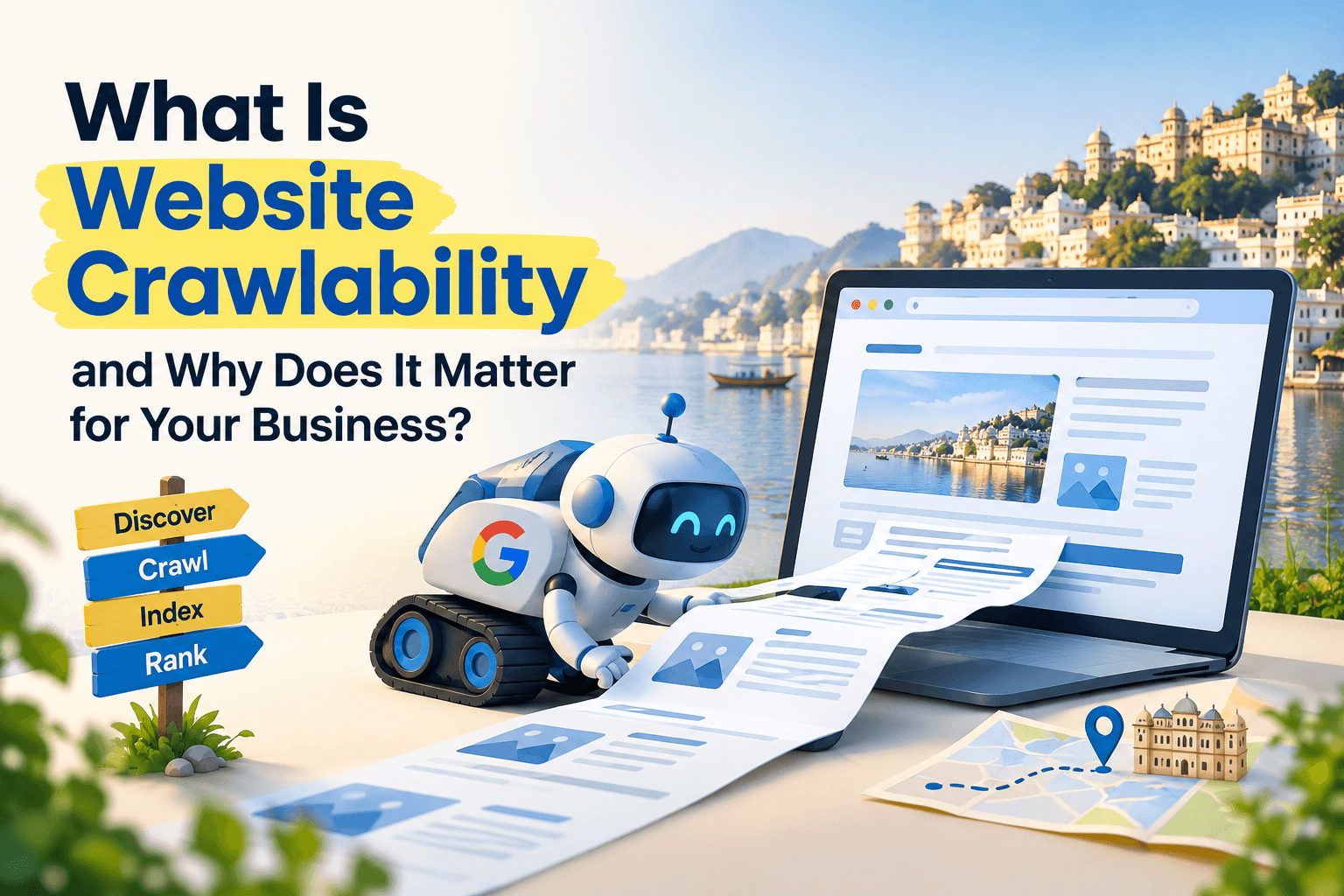
Imagine spending money on a website for your business, adding your services, uploading photos, and publishing blogs. But when people search for your business on Google, they cannot find it.
One possible reason is that Google is having trouble discovering or accessing your website pages.
This is where website crawlability becomes important.
In simple words, crawlability means how easily Google can visit your website, discover its pages, and read their content.
In this blog, we will explain why crawlability matters, what problems can affect it, and how you can improve it without understanding complex technical terms.
What Is Website Crawlability?
Think of Google as someone exploring the streets of Udaipur to find local shops. If the roads are connected and the signs are clear, finding each shop is easy. But blocked roads and missing signs can make some shops difficult to discover.
Your website works in a similar way.
Google uses automated programs called crawlers to discover and read web pages. One of these programs is Googlebot.
If your website has working links and accessible pages, Google can explore it more easily. Broken links, blocked pages, and server problems can prevent it from discovering important content.
Good crawlability helps Google find and access the pages you want people to discover online.
How Does Google Find Your Website Pages?
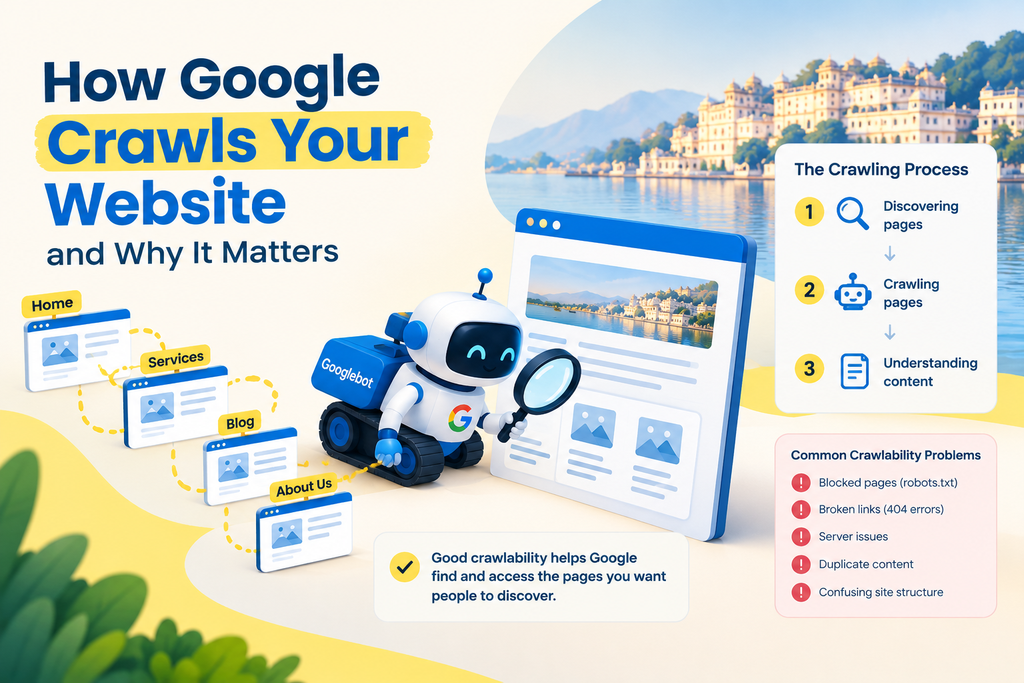
The process generally involves three steps:
- Discovering pages: Google finds pages through links, previously discovered URLs, and your website’s sitemap.
- Crawling pages: Googlebot visits the pages and tries to access their content.
- Understanding content: Google processes the page to understand what it contains.
A sitemap is a list of important website pages that helps search engines discover them. Internal links also help Google move from one page to another.
Crawling, Indexing, and Ranking: What’s the Difference?
These three terms describe different stages of appearing in Google Search.
- Crawling: Google visits and reads a page.
- Indexing: Google processes the page and decides whether to include it in its search index.
- Ranking: Google determines where the page may appear for a particular search.
For example, if you own an interior design business in Udaipur, Google must discover your service page before it can consider the page for indexing and search results.
However, crawling does not guarantee indexing, and indexing does not guarantee high rankings.
Crawlability vs. Indexability
These terms are related but have different meanings.
| Crawlability | Indexability |
|---|---|
| Can Google access and read the page? | Can Google include the page in its search index? |
| May be affected by blocked pages, broken links, or server errors. | May be affected by indexing settings, duplicate content, or other quality issues. |
A page can be accessible to Google but still not appear in search results. For example, a website developer may accidentally leave a setting that tells Google not to index the page.
This is why checking both crawling and indexing is important.
Why Does Crawlability Matter for Local Businesses?
For businesses such as hotels, restaurants, clinics, coaching centres, and retail shops, online visibility can help attract potential customers.
Here are three reasons crawlability matters.
1. It Helps Customers Discover Your Services
People often search Google for services near them. If your important service pages can be crawled, indexed, and ranked, they have an opportunity to appear in relevant searches.
If Google cannot access a page, that page may miss the opportunity to attract potential customers.
2. It Helps Google Discover New Pages
When you publish a new blog, add a service, or update your website, Google needs to discover the changes.
Clear internal links and an updated sitemap can help Google find new pages. However, they do not guarantee immediate crawling or indexing.
3. It Supports Your Local SEO Efforts
Your website and Google Business Profile serve different purposes, but both can support your online presence.
Your website provides details about your services, location, and business. Your Google Business Profile helps people discover your business through Google Search and Maps.
Good crawlability helps Google access your website content, but local rankings also depend on factors such as relevance, distance, and prominence.
Does Crawl Budget Matter for Small Businesses?
Crawl budget refers to the number of pages Google can and chooses to crawl on a website within a given period.
For most small business websites, crawl budget is not a major concern. The priority is to ensure that Google can discover important pages without wasting time on unnecessary duplicates, broken URLs, or confusing website structures.
7 Common Website Crawlability Problems
1. Your Website Accidentally Blocks Google
A file called robots.txt provides instructions to search engine crawlers about which parts of a website they can access.
If the settings are incorrect, important pages may be blocked. This sometimes happens when a developer forgets to remove restrictions used while building a website.
What to do: Ask your developer or SEO professional to check whether important public pages are accessible to Google.
You can usually view this file by entering your website address followed by /robots.txt.
2. Your Website Has Broken Links
A broken link leads to a page that cannot be found, often displaying a “404 Page Not Found” message.
This can happen when a page is deleted or its address changes without updating links pointing to it.
What to do: Check important links regularly. Update incorrect links, restore pages that are still needed, or redirect old URLs to relevant replacement pages when appropriate.
3. Your Website Structure Is Confusing
If visitors have to open several unrelated pages to find your services, your website may be difficult to navigate.
A clear structure looks like this:
Homepage → Services → Specific Service
What to do: Keep your main services visible in the website menu, organise related pages into categories, and link relevant pages together.
4. Your Website Is Slow or Frequently Unavailable
If your website takes too long to load or regularly goes offline, visitors may leave. Google may also experience difficulty accessing its pages.
What to do: Use reliable hosting, compress large images, remove unnecessary plugins, and investigate recurring loading problems.
5. Your Sitemap Is Missing or Outdated
A sitemap helps search engines discover important pages. If it contains outdated URLs or is inaccessible, it may not be as useful.
What to do: If you use WordPress, plugins such as Rank Math or Yoast SEO can generate a sitemap. Submit it through Google Search Console and check for errors.
Remember, submitting a sitemap does not guarantee indexing.
6. Important Pages Have No Internal Links
An orphan page is a page that has no links pointing to it from other pages on the same website.
Google may have difficulty discovering it by following your website’s links.
What to do: Link new blogs and service pages from relevant existing pages. For example, a wedding planner can link a destination wedding blog to its wedding planning services page.
7. Important Content Does Not Load Properly
Some websites rely on advanced features to display text, navigation, and other content. Technical problems can sometimes prevent search engines from accessing or processing that information correctly.
What to do: Ask your developer to check whether your main content, navigation links, and service information are accessible to search engines.
JavaScript itself is not a problem; the concern is whether important content loads and can be processed properly.
How to Check Your Website’s Crawlability
You do not need to be a technical expert to perform a basic check.
Method 1: Use Google Search Console
Google Search Console is a free tool that helps website owners understand how their pages perform in Google Search.
Follow these steps:
- Open Google Search Console and select your website.
- Open the page indexing report to review indexed pages and reported issues.
- Look for statuses such as “Crawled – currently not indexed” or “Discovered – currently not indexed.”
- Use the URL Inspection tool to check a specific page.
- If available, select “Test Live URL” to check whether Google can access the page at that moment.
These statuses do not automatically mean your website is broken. They help you identify pages that may need further investigation.
Method 2: Use a Website Audit Tool
Website audit tools can scan your website and identify common problems.
- Screaming Frog SEO Spider: Finds broken links, redirects, and other website issues. The free version supports crawling up to 500 URLs.
- Ahrefs: Offers website auditing and reports on SEO issues.
- Semrush: Provides website audit reports to help identify technical and on-page problems.
If you are unfamiliar with these tools, ask your developer or SEO team to explain which issues need attention first.
5 Practical Ways to Improve Website Crawlability
Once you identify the problems, focus on these five actions.
1. Check Which Pages Google Can Access
Ask your developer to review your robots.txt file and confirm that important public pages are not accidentally blocked.
2. Fix Broken Links and Redirects
Update links that point to missing pages. When a page address changes, use a relevant redirect where appropriate and avoid unnecessary chains of redirects.
3. Keep Your Sitemap Updated
Make sure your sitemap contains important, accessible pages. Submit it through Google Search Console and check for errors.
4. Make Your Website Easy to Navigate
Keep your main services visible and connect related pages with internal links. This helps visitors explore your website and gives Google more ways to discover its content.
5. Improve Speed and Mobile Usability
Compress large images, use reliable hosting, remove unnecessary plugins, and ensure that menus, forms, and buttons work properly on mobile devices.
A reliable website provides a better experience for visitors and helps search engines access its pages more consistently.
Website Crawlability Checklist
Use this checklist every few months or after a major website update.
- Important public pages are not accidentally blocked.
- Internal links work correctly.
- The sitemap is accessible and submitted in Google Search Console.
- Important pages have been checked for indexing issues.
- Main services are easy to find.
- Important blogs and service pages have internal links.
- The website loads properly and does not frequently go offline.
- Pages display correctly on mobile devices.
Prioritise your homepage, main service pages, contact page, and other pages that are important for generating enquiries.
FAQs
Q1. How often does Google crawl my website?
There is no fixed schedule for crawling every website. Google may revisit some pages frequently and others less often, depending on factors such as how often content changes, the website’s popularity, and Google’s crawling needs. You can use Google Search Console to review your website’s crawl activity.
Q2. Can Google crawl a website without a sitemap?
Yes. Google can discover website pages through internal links and links from other websites, even if you do not have a sitemap. However, a sitemap can help Google discover important pages, especially on larger websites or websites with pages that are not well connected.
Q3. Does publishing more blogs help Google crawl my website faster?
Not necessarily. Publishing blogs regularly does not guarantee that Google will crawl your website more often. Focus on creating useful content, linking new blogs from relevant pages, and keeping your website easy to navigate. These steps can help Google discover your new content.
Conclusion: Make Your Business Easier to Find Online
Launching a website does not automatically mean customers will find it through Google.
Search engines need to discover and access your pages before they can consider them for indexing and search results. Broken links, blocked pages, and website errors can make this process more difficult.
Start by checking your important pages in Google Search Console, fixing broken links, and keeping your sitemap updated.
You do not need to understand every technical detail yourself. What matters is identifying the problems and ensuring they are fixed correctly.
At Immortal SEO, we help businesses identify and fix website issues through technical SEO. If your website is not appearing on Google or you want to improve its search visibility, contact our team for a website audit and practical recommendations.
About the Author

Richa Meena
SEO Specialist at ImmortalSEO with expertise in technical SEO and content optimization.
View all posts